
Receive message-status webhooks
Configure message-status webhooks, verify signatures, deduplicate retries, and troubleshoot callback delivery.
Webhooks let your backend learn when an outbound message is sent, delivered, read or failed. They complement status polling; the initial send response is not the final delivery result.
Configure a project receiver
- Deploy an HTTPS endpoint on a server you control.
- Open the intended dashboard project, then Developers → Webhooks.
- Enter your endpoint URL and review Send status updates to this URL.
- If your receiver is ready to verify signatures, enable Sign message-status webhooks (optional). Save the generated secret securely when shown.
- Save with Set up webhook or the current save action. Use the test action only after the receiver is ready.
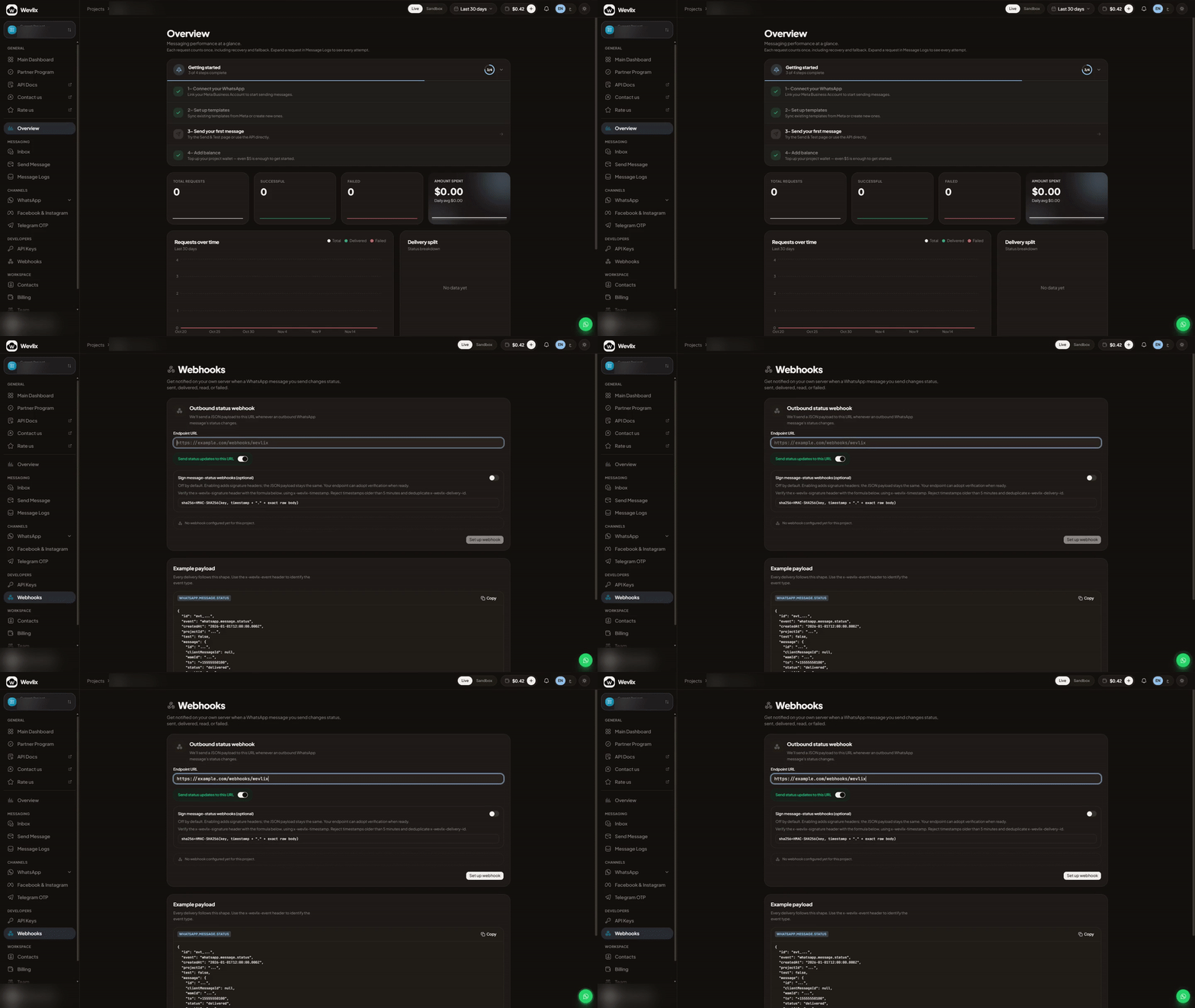
The clip uses example.com and does not save or send a test. Use your own endpoint for a real integration. Signing is opt-in; existing unsigned receivers keep their behavior until you enable it.
API clients can read settings with GET /v1/webhooks/outbound-status (webhooks:read) and configure them with PUT /v1/webhooks/outbound-status (webhooks:write):
{
  "url": "https://example.com/webhooks/wevlix",
  "enabled": true,
  "signingEnabled": true
}
Replace the URL. The signing secret is returned when generated; ordinary settings reads do not reveal it. POST /v1/webhooks/outbound-status/test sends a test to the saved URL. Keep test records out of production delivery totals.
Understand the event
The project status payload includes id, event, createdAt, projectId, test and a message object. Message details include its ID, client identifier, recipient, status and lifecycle timestamps. Use the complete generated example in the API reference when implementing the receiver.
Do not confuse project status events with provider events: provider envelopes use fields such as type and managedUserId. Inbound messages also have a different contract. See provider integration for that audience.
Verify signed requests
Read x-wevlix-timestamp, x-wevlix-signature and x-wevlix-delivery-id. Preserve the exact raw body before JSON parsing. The signature is HMAC-SHA256 of timestamp + "." + rawBody, with the returned secret used as its literal UTF-8 string.
const { createHmac, timingSafeEqual } = require('node:crypto');

function verify(rawBody, timestamp, signature, key) {
  if (typeof timestamp !== 'string' || !/^\d+$/.test(timestamp)) return false;
  if (Math.abs(Date.now() / 1000 - Number(timestamp)) > 300) return false;
  if (typeof signature !== 'string' || !/^sha256=[a-f0-9]{64}$/.test(signature))
    return false;
  const expected = createHmac('sha256', key)
    .update(`${timestamp}.`).update(rawBody).digest();
  return timingSafeEqual(expected, Buffer.from(signature.slice(7), 'hex'));
}
Once your receiver requires signed delivery, reject missing/invalid signatures and timestamps more than five minutes away from its clock. Use an accurate server clock. Never verify a body reconstructed with JSON.stringify.
Process reliably
- Verify, durably enqueue the event and acknowledge quickly with 2xx.
- Deduplicate accepted event IDs in durable storage; acknowledge duplicates with 2xx.
- Retries preserve event identity but receive fresh signing timestamps. The payload
createdAtis event time, not the signing timestamp. - Process asynchronously and reconcile with the status API when callbacks are delayed. Avoid assuming delivery order.
Regenerating a project status signing secret immediately replaces the old one, with no grace period. Coordinate rotation with your receiver. Provider signing/rotation has its own contract; do not copy project rotation assumptions to it.
If callbacks fail, check the saved URL, enabled setting, TLS certificate, receiver response, firewall/body-parser configuration and signature clock. Avoid logging credentials, full recipient numbers or message bodies in shared diagnostics.
Updated about 16 hours ago